
Set the pace. Press play.
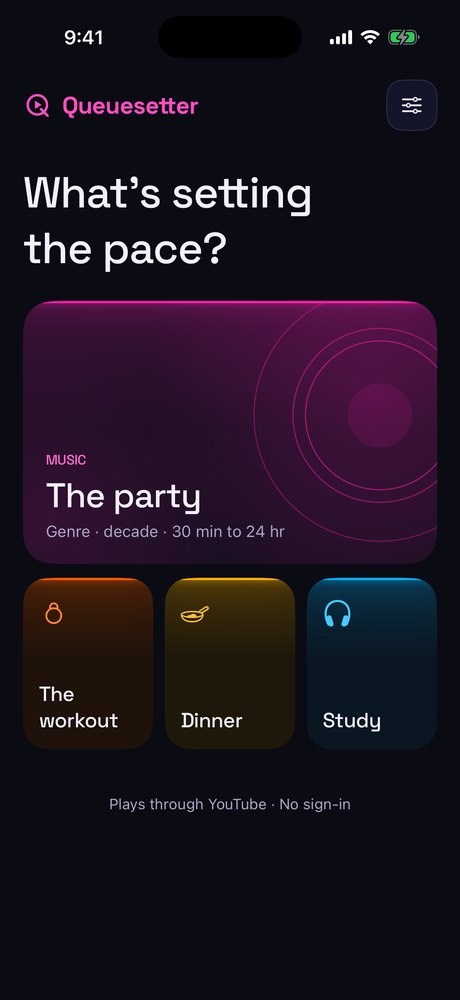
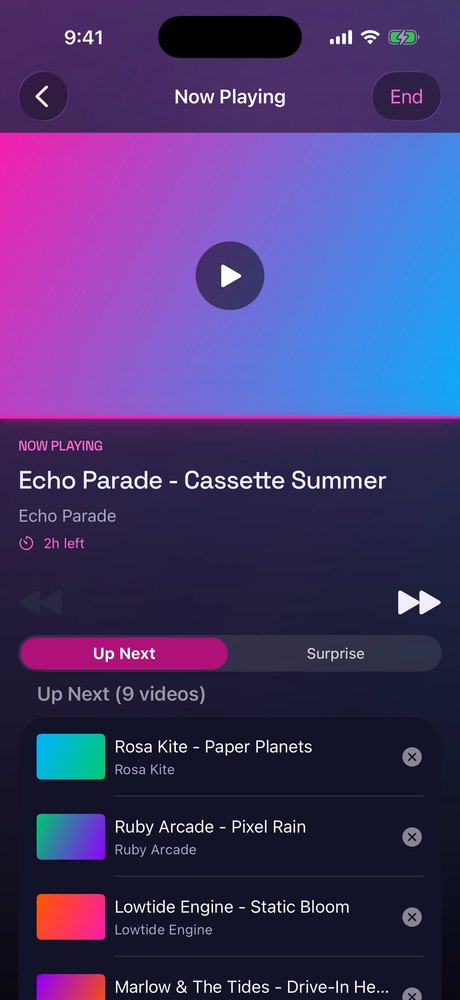
Say what you're doing and how long you have. Queuesetter lines up the videos: a party channel, a workout that fits, dinner ideas or hours of focus.
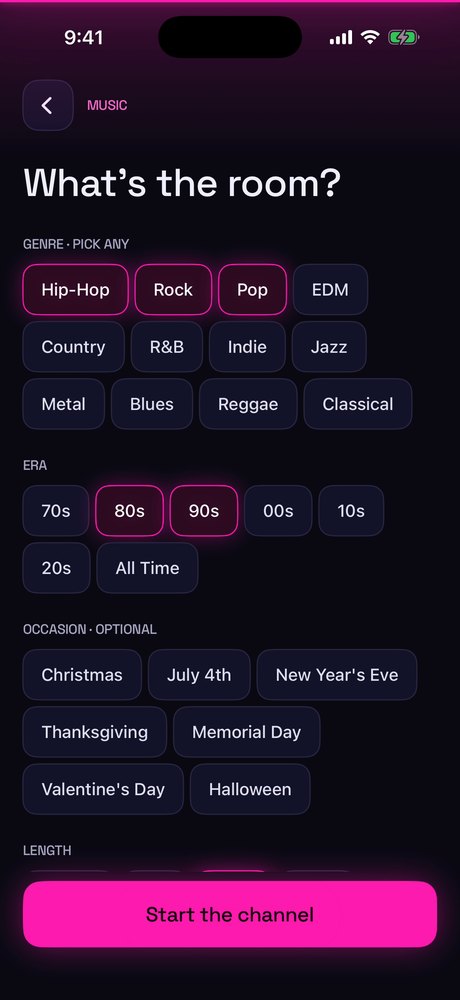
- The partyPick genres, a decade and a length from 30 minutes to all day. It keeps the music videos going and stops on time.
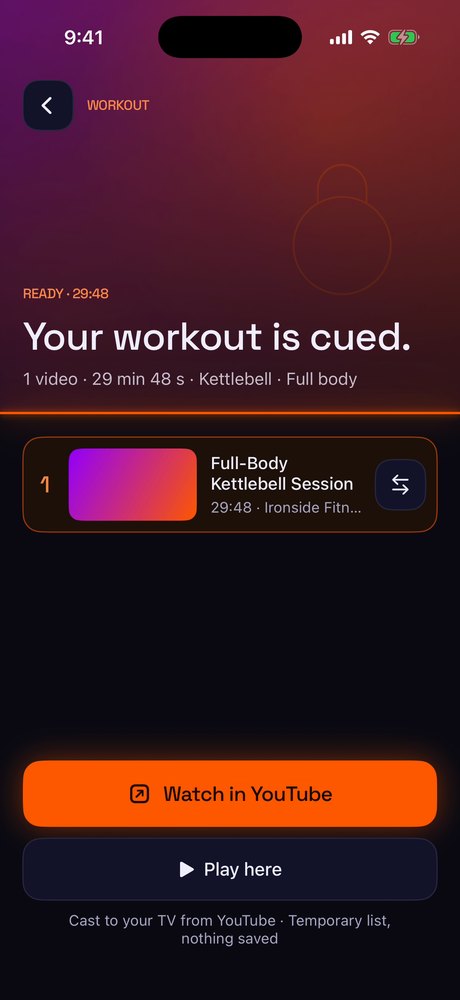
- The workout15 to 60 minutes, your equipment, the focus and the level. It finds the follow-along video that fits.
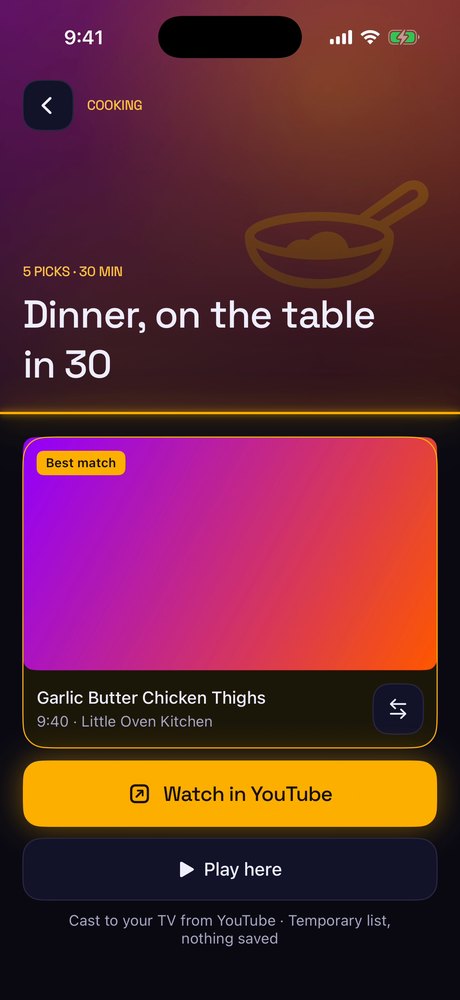
- Dinner30 minutes or an hour to cook. Five recipe videos to choose from.
- StudyLo-fi, rain, jazz café and more, for one to eight hours on a timer.

On a computer? Point your iPhone camera here to open Queuesetter in the App Store.
iPhone and iPad · iOS 17 or later · No account · No in-app purchases
What it does
Lean back
- Music videos advance on their own, for as long as you set.
- Near the end it asks whether to add time. Leave it, and it stops on time.
- Don't like a workout or recipe pick? Swap it.
Watch it your way
- Watch in YouTube opens the list in the YouTube app, ready to cast to your TV.
- Or play it right in Queuesetter and send it to the TV with AirPlay.
- Three looks to choose from in Settings.
Nothing to sign up for
- Free, no sign-in, no in-app purchases.
- No analytics, and nothing is sent to Seaynic Labs.
- Videos play in YouTube's player, which Google runs under its own privacy policy and which can show YouTube's ads. Not affiliated with YouTube or Google.
Questions
What happened to FlowReel?
FlowReel is now Queuesetter. If you have FlowReel, the update renames it; there's nothing to reinstall. Music video channels work as before, and workouts, dinner and study are new.
Why does the video stop when I lock my phone?
Videos that play inside Queuesetter use YouTube's own player, and YouTube's rules don't allow playback in the background. Keep Queuesetter open and the screen stays on for you while it plays, or choose Watch in YouTube and cast it to your TV from there.
Does it cost anything?
No. Queuesetter is free, with no in-app purchases and no sign-in. It adds no ads of its own; YouTube's player can show YouTube's ads.
What does Queuesetter collect about me?
Nothing reaches us: there is no account and no analytics, and Queuesetter sends nothing to Seaynic Labs. Your choices go to YouTube as search terms, and videos play in YouTube's player, which Google runs under its own privacy policy and which can set cookies. The Queuesetter section of our Privacy Policy has the details.
Can I watch it on my TV?
Yes. Choose Watch in YouTube to open the list in the YouTube app and cast it from there, or tap AirPlay in Queuesetter's player to send it to an Apple TV or an AirPlay-compatible TV.
Where's the privacy policy and support?
The Privacy Policy and Terms each have a Queuesetter section. For help, use the contact form. The story of how it started is in the Journal.