Seven free tools for your AI assistant
Seven free, MIT-licensed bundles that connect your AI assistant to your website, your files, your homelab, your hardware and your notes. Every change waits for your OK.

Today we published seven free tool bundles for AI assistants. Each one connects an assistant like Claude, Cursor or Antigravity to something you already run: your website’s analytics, your files, your homelab, a USB board on your desk, your notes.
Each bundle has three parts:
- Tools the assistant can call, served over MCP, the standard that AI apps use to load tools.
- Skills that teach the assistant how to do the job well, such as writing a weekly site report or bringing up a new board.
- Setup steps for each app.
The seven
| Bundle | For | What it connects |
|---|---|---|
| Gauge | Small website owners | Umami analytics and Resend email |
| Lathe | Anyone with files to fix | Images, PDFs, audio and video on your own machine |
| Homelab | Self-hosters | Nginx Proxy Manager, Docker, Cloudflare DNS, plus optional modules |
| Bench | Makers | Arduino, ESP32 and Pico boards over USB and serial |
| Knowledge | Self-hosted notes | Open Notebook search, reading and writing |
| PrivacyOps | Anyone disputing a credit report | Dispute tracking, deadlines and letters, all local |
| Schematic | Anyone who draws diagrams | draw.io diagrams you can edit, and animated ones |
All seven are MIT licensed. Install one with a single command, such as uvx gauge-mcp, or add all seven from our plugin marketplace in Claude Code.
You approve every change
Sending an email, deleting a file, writing to a board or changing a DNS record waits for your OK. The assistant cannot approve for itself. Every approval is written to a log on your machine, and message bodies never are.
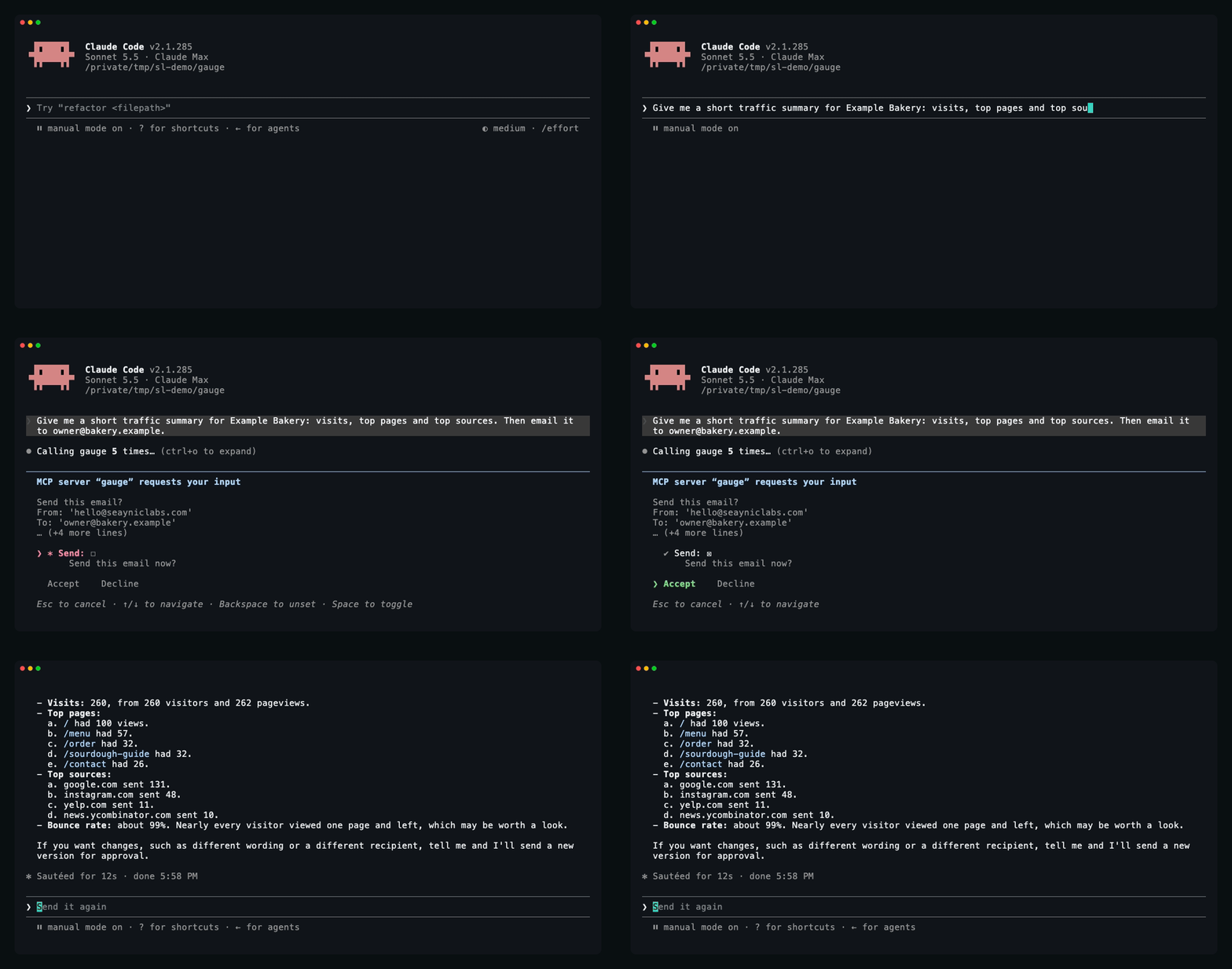
Above, Gauge drafts a traffic summary and asks before sending it. The send was declined, so no email went out. Every bundle page has a recording like this one.
Each bundle talks only to the services you configure. Lathe, Bench, PrivacyOps and Schematic make no network calls at all.
How we tested them
Before listing a bundle, we ran it in three apps: Claude Code, Cursor and Antigravity. Each run called the bundle’s real tools against real services, not mocks. Gauge read a running Umami. Homelab read our own proxy, Docker host and DNS. Lathe resized real photos.
Testing found real bugs, and we fixed them before launch:
- Homelab’s
diagnose_servicereported “nothing failed” for a proxy host whose service was gone. It now reports the dead upstream. On our own proxy it found ten. - Bench never connected to Antigravity, which opens with a newer MCP request. Bench 0.4.1 answers it.
Each bundle page says what has not been tested against a live service yet, instead of hiding it.
Check our work
The trust page lists what each bundle can reach, what it asks your OK for, and its startup cost in tokens. It also has six commands you can run yourself. One of them proves a release was built by our GitHub workflow from our source:
gh attestation verify gauge_mcp-0.2.1-py3-none-any.whl --owner seayniclabsStart at seayniclabs.com/tools.
New Journal posts, and a free printable before each holiday. A few emails when you sign up, then about one a month. Unsubscribe from any email with one click. We never share your address.